
Why Instagram Customer Service Matters for Users in Indonesia
Indonesia ranks among the largest Instagram markets globally, with active users relying on the platform for personal connections, business promotion, and daily communication. When issues arise, such as login failures, content restrictions, or account compromises, timely support becomes essential to maintain access and continuity.
Recent digital insights highlight Instagram as a core channel in the Indonesian online ecosystem. Understanding available support pathways helps users resolve problems without unnecessary delays.
Primary Ways to Access Instagram Customer Service Indonesia
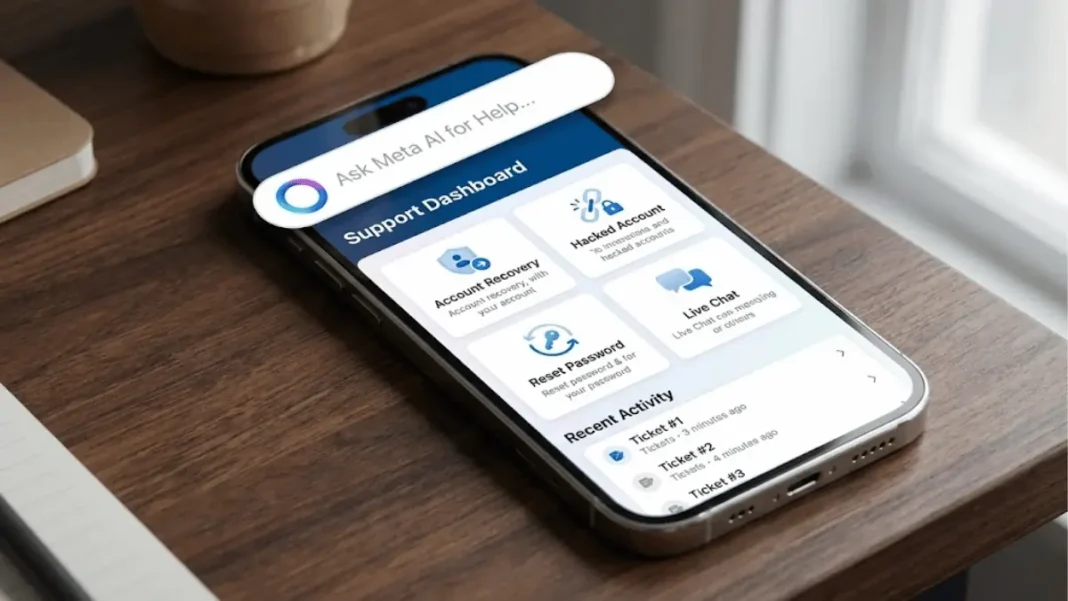
The platform directs users to self-service tools rather than traditional call centers. Start by opening the Instagram app on your mobile device and navigating to your profile. Tap the menu icon in the top right, then select Settings and privacy followed by Help.
This path leads to the central hub where you can search for specific topics or report issues directly. The interface supports Bahasa Indonesia, making navigation straightforward for local users.
Using the In-App Help Center
Search keywords like account status or login problems within the help section. The system displays relevant articles and troubleshooting guides. For urgent matters, select Report a problem to submit details including screenshots. Responses typically arrive through in-app notifications or email linked to your account.
Reporting Issues Directly from Posts or Profiles
If the problem relates to a specific post, comment, or profile, tap the three dots menu and choose Report. Follow the prompts to categorize the issue. This method works well for violations or technical glitches and feeds directly into the support queue.
Step-by-Step Guide to Common Support Requests
Follow these clear actions for typical scenarios.
- Open the Instagram app and log in if possible.
- Go to your profile and access Settings and privacy.
- Select Help, then tap Report a problem.
- Choose the relevant category, such as login issues or hacked account.
- Provide a detailed description and attach evidence.
- Submit and monitor your notifications for updates.
These steps apply whether you use the app on Android or iOS and work consistently across Indonesian networks.
Common Issues and How to Solve Them
Many users encounter similar challenges. The table below outlines frequent problems along with resolution steps.
| Issue | Likely Cause | Recommended Action | Expected Resolution Time |
|---|---|---|---|
| Cannot log in | Password reset or device change | Use forgot password link and verify email or phone | Minutes to hours |
| Hacked or disabled account | Suspicious activity | Submit appeal via the hacked account flow | 24 to 72 hours |
| Content not posting | Technical glitch or policy violation | Clear cache or review community guidelines | Immediate to 48 hours |
| Missing features | App version or region settings | Update the app and check account type | Minutes |
| Privacy or reporting concerns | Misreported content | Use the dedicated reporting tool | Varies |
This overview covers the majority of cases reported by Indonesian users.
Account Recovery Process for Hacked or Disabled Profiles
If your account shows unusual activity, visit the login screen and select Get help logging in. Enter your username, then follow the secure recovery prompts. Instagram may request identification through a linked phone number or email.
For disabled accounts, submit an appeal form directly in the app. Provide context about the situation and wait for review. Success rates improve when users supply accurate details and recent activity evidence.
Limitations of Instagram Support and Best Practices
Instagram does not offer dedicated phone or email customer service channels for general users. All assistance routes through the app or help center to maintain scalability.
Best practices include keeping your app updated, enabling two-factor authentication, and documenting issues with timestamps and screenshots. Avoid third-party tools that promise faster support, as they often violate platform terms.
Enhancing Your Instagram Presence with Professional Help
Business accounts in Indonesia often require more than basic troubleshooting to thrive. Strategies such as consistent content planning and audience engagement can prevent many support issues before they start.
For local establishments, a targeted cafe marketing strategy helps build stronger community connections on the platform. Organizations seeking broader visibility may benefit from expert SEO agency services to optimize discoverability.
Many professionals explore a list of digital marketing agencies in usa when expanding internationally. Similarly, targeted campaigns often align with options from a digital ad agency denver. These approaches complement official support by focusing on proactive growth and risk reduction.

FAQ
How do I contact Instagram customer service Indonesia?
Access support directly through the Instagram mobile app by navigating to Settings and privacy then Help. Report problems or search the help center for instant guidance. No direct phone line exists for general users.
Is there a phone number for Instagram customer service in Indonesia?
Instagram provides no official customer service phone number anywhere, including Indonesia. All assistance occurs via the in-app help tools and reporting features.
How can I recover my hacked Instagram account from Indonesia?
Use the Get help logging in option on the login screen. Submit an appeal with your username and verification details. Monitor notifications for the outcome, which usually arrives within a few days.
Why is Instagram customer service hard to reach?
The platform handles billions of users worldwide through automated and self-service systems. This structure prioritizes speed and scale over individual phone support, directing everyone to the centralized help center.
Does Instagram provide support in Bahasa Indonesia?
Yes, the help center and app interface include full Bahasa Indonesia options. Switch your device language or select the locale in the app to view localized content and instructions.
Ready to take control of your Instagram experience?
Account issues can disrupt important connections and business opportunities, leaving you feeling frustrated and disconnected from your community. Professional guidance ensures your profile stays secure, visible, and optimized for real results.
Schedule your free consultation today and move forward with confidence.